

How to get started with apache superset and docker compose in 5 minutes
Super lightweight, less than 100 lines of code, and easy to integrate within your existing docker compose project

Link to repo with setup instructions: sammyhansali/superset-docker-quickstart
What is Apache Superset?
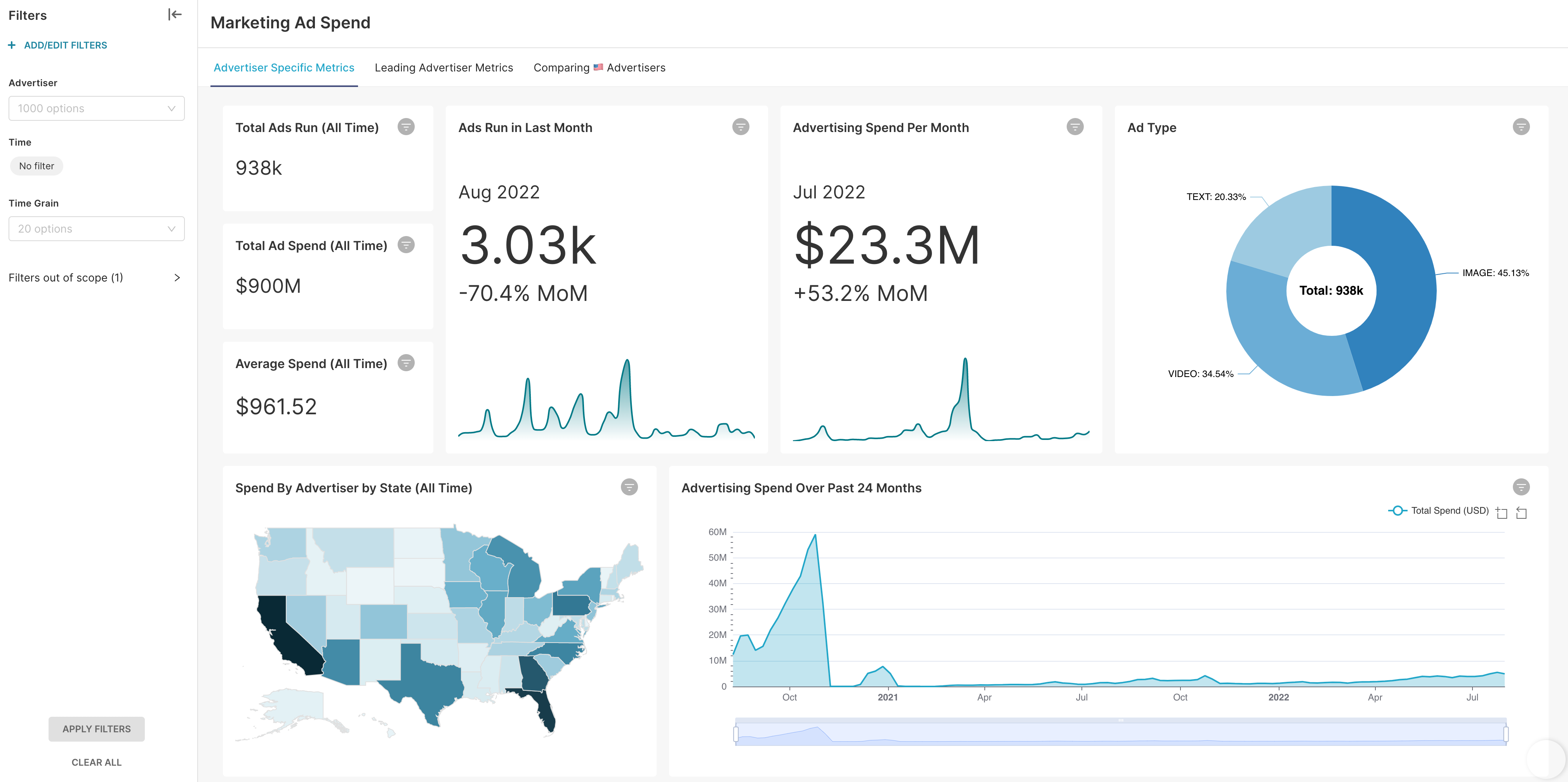
Analysts use Business Intelligence (BI) tools to build data visualizations, reports, and dashboards that tell a story on how the business performed, is performing, or will perform. Compared to its older siblings data science and machine learning, BI is the most accessible method by which organizations can turn data into insights.
Apache Superset is one such BI software. An open source one at that! As someone that wants to learn at least one open-source tool per component of the data engineering lifecycle, Superset seemed like a great match for my projects.
Setup issues and how I fixed them
The main issue I had with Superset initially was finding a minimal and simple way of running it with docker compose. It had to have a small footprint and easily integrate with the other services I would be running (such as airflow). I looked to the official documentation and LLMs for help, but they weren’t very helpful. That’s when I stumbled upon this video by a data engineer named Calvin Yoon.
He stripped down the docker compose template provided by superset down to its essentials (sure, you could probably strip it down a lot more if you wanted to, but its already a big improvement from following superset’s official instructions of cloning the whole repository and working with that).
All you need is less than 100 lines added to your docker compose and a folder containing some bash scripts and configs. Here’s a look at what the docker compose would look like if you were only running superset and no other services:
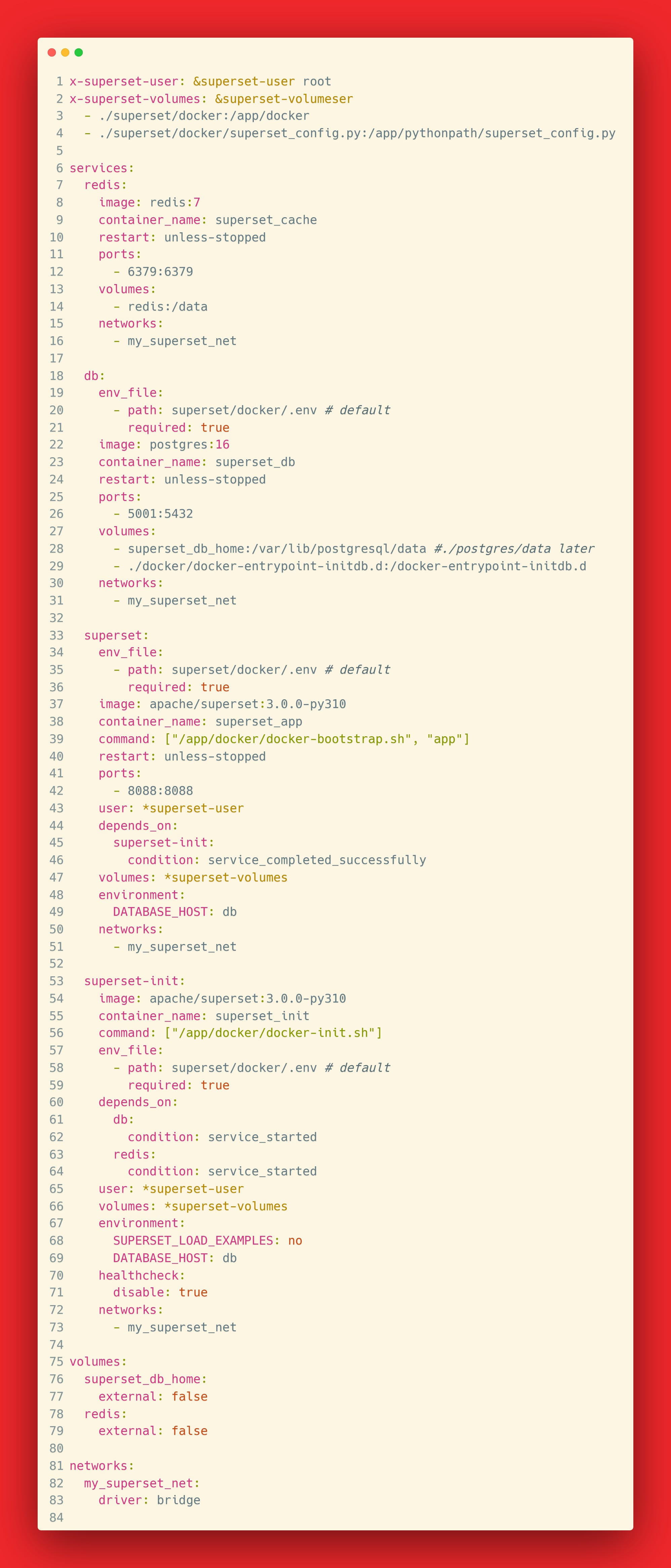
We’re basically just setting up the: superset database (postgres), caching (redis), a container to handle initialization, and a container for the superset app itself.
You may also notice the environment variable on line 68 that appears to turn off examples. If you change that to “yes” and run docker compose up, superset should launch with some visual examples you can explore and learn from.
Conclusion
That’s basically it!
If you want to try running this for yourself, take a gander at the repo accompanying this article. It has all the code and startup instructions. Here is the link for that again: sammyhansali/superset-docker-quickstart